LoggLaw CAM
Video logger, also referred to in the biologging field as an animal-borne camera or biologging camera. Crystal-clear FHD/HD/VGA footage for recording underwater animal behavior. Optional hydrophones add synchronized underwater sound. Water-resistant design rated to 500m depth for various marine environments.
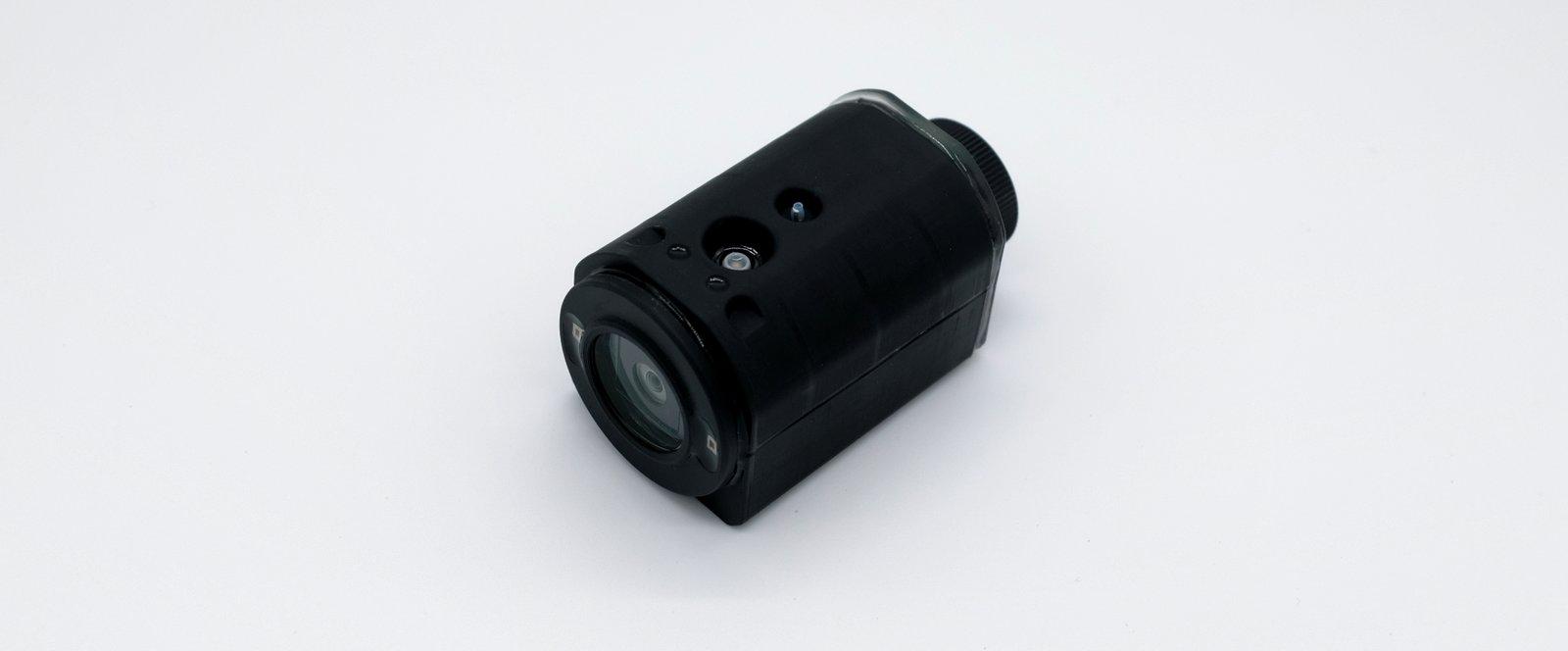
This series belongs to the category of devices commonly referred to in biologging research as an underwater video logger, animal-borne camera, or biologging camera: compact cameras attached directly to the animal to record first-person video. Underwater sound synchronized with the video, recorded with optional hydrophones, is a defining feature of LoggLaw CAM.
We also provide marine acoustic monitoring, which classifies hydrophone-recorded underwater sound with AI to visualize ocean ecosystems and the environment.Marine acoustic monitoring (Solutions)
To record underwater sound continuously at one point in the sea rather than on an animal, see our fixed-pointLoggLaw NAD-W underwater acoustic monitoring system.
LoggLaw CAM at a glance
LoggLaw CAM is an underwater video logger that attaches to an animal and records its behavior on video from the animal's own point of view. Optional hydrophones and sensors add underwater sound, depth, temperature, acceleration and geomagnetism on the same time base. Nothing is transmitted by radio, so a deployment ends when you recover the animal and read the records out.
- Bodies
- Two bodies: CAM mini (98 g, up to 4 hours continuous) and CAM basic (129 g, up to 6 hours continuous, with red LED)
- Video
- Up to Full HD 30 fps, HD 60 fps, or VGA 120 fps. 89° field of view underwater
- Options
- Hydrophones, sensors (depth, temperature, 3-axis acceleration, 3-axis geomagnetism), battery extension
- Operating range
- 500 m maximum depth, -10°C to 40°C
- What limits recording
- The battery. Triggers and schedules spend the available hours on the moments you want to see
- Getting the data
- Recover the animal, then read everything out to a PC over the USB-C port under the waterproof cap
Key Features
Full HD Video
Crystal-clear video recording at FHD (30fps), HD (60fps), and VGA (120fps). Captures the finest movements of underwater creatures.
Optional Hydrophones
External hydrophones record underwater sound alongside the video, on the same clock as the video data for precise synchronization. Each adds about 87 g, and two give stereo recording. The cable lets you place them away from the body, and its length can be adjusted.
Low-Light / Night Capable
CAM basic is equipped with a high-intensity 660 nm red LED that limits the effect on the animal. Automatic illumination control based on ambient brightness (CAM mini has no LED).
Schedules and Triggered Recording
Start and end times can be set via dedicated software. Supports duty cycle mode (repeating on/off intervals). Depth or acceleration thresholds can also start and stop recording automatically.
Water Pressure Resistant
Robust design that withstands 50 bar (equivalent to 500m depth). Suitable for various marine environments.
Extended Recording
Rechargeable battery included. CAM mini records up to 4 hours, CAM basic up to 6 hours continuously (estimated at VGA 30 fps). With an external battery extension, 64 hours of continuous recording has been confirmed at Full HD 30 fps.
One deployment, step by step
The only data you get is from the animals you get back. Settle how recovery will work before you settle the configuration.
- 1
Set up
Write the schedule and recording intervals from a PC
- 2
Attach
Fix the logger with a mount built for the attachment surface
- 3
Record
Video, sound and sensor values share one time base
- 4
Recover
Recapture the animal and remove the logger. There is no radio link
- 5
Read out
Video and sensor values read out over USB-C
Applications
- Foraging behavior: what is taken, and how
- The habitat and seafloor an animal passes through during a dive
- Encounters with conspecifics and other species, and the behavior around them
- Vocalizations set against behavior (hydrophone configuration)
- Depth and acceleration traces matched to the footage
- Checking attachment methods and the effect of the device on behavior
Where LoggLaw CAM fits
- You need to see the behavior, and sensor traces alone leave the event ambiguous
- You expect to recapture the animal
- A few hours covers what you are after, or depth and acceleration can select the moment (triggered recording)
- You want underwater sound on the same time base as the video (hydrophone)
Where another instrument fits better
- You need weeks or months of behavior, and sensors alone will do: LoggLaw C series
- You are watching one place rather than following one animal: LoggLaw NAD-W
- Recovery is unlikely. CAM sends nothing by radio, so a logger not recovered leaves no data
Choosing a body and options
Start from one of two bodies, then add sensors, hydrophones and a battery extension as the study requires. Every option adds weight or bulk, so the limit is what the target animal can carry.
CAM mini
When weight matters most: smaller animals
- Dimensions
- 30 × 32 × 58 mm
- Weight in air
- 98 g
- Continuous recording
- Up to 4 hours (estimated at VGA 30 fps)
- Red LED
- None
31 g lighter than basic, and smaller in width and height. Recording in low light depends on ambient light.
CAM basic
When recording time and low light matter most
- Dimensions
- 38 × 38 × 58 mm
- Weight in air
- 129 g
- Continuous recording
- Up to 6 hours (estimated at VGA 30 fps)
- Red LED
- Yes (660 nm)
The high-luminance red LED can switch on automatically according to ambient light. Its 660 nm wavelength limits the effect on the animal. Lighting it shortens recording time.
Options
| Option | What it records | What it changes |
|---|---|---|
| Sensors | Depth (pressure), temperature, 3-axis acceleration and 3-axis geomagnetism, on the same time base as the video. | Runs on its own battery, so recording continues after the video stops. |
| Hydrophone | Underwater sound at 96 kHz, 100 Hz to 48 kHz, mono or stereo. | Driven by the same clock as the video, so sound and image stay aligned. External, adding about 87 g each, with an adjustable cable length. |
| Battery extension | Extends recording time itself. What is recorded does not change. | External, so overall size and weight increase. Capacity is built to order; plan it together with the attachment. |
Gallery
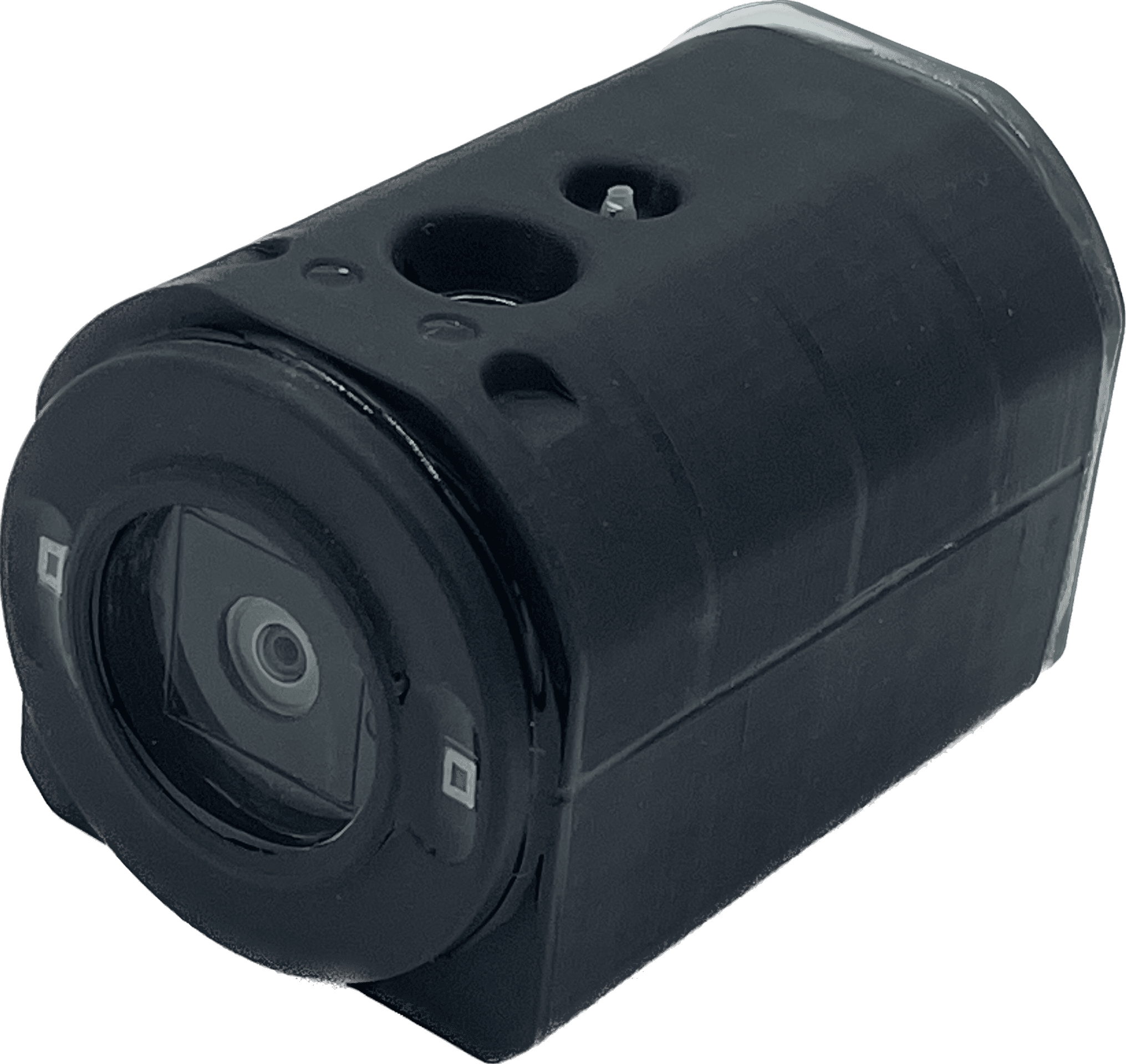
View actual product images and usage photos.LoggLaw CAM basic model, body only
* Product images may differ from the actual product. Specifications are subject to change without notice for improvement purposes.
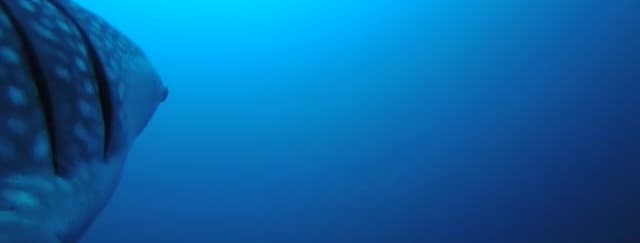
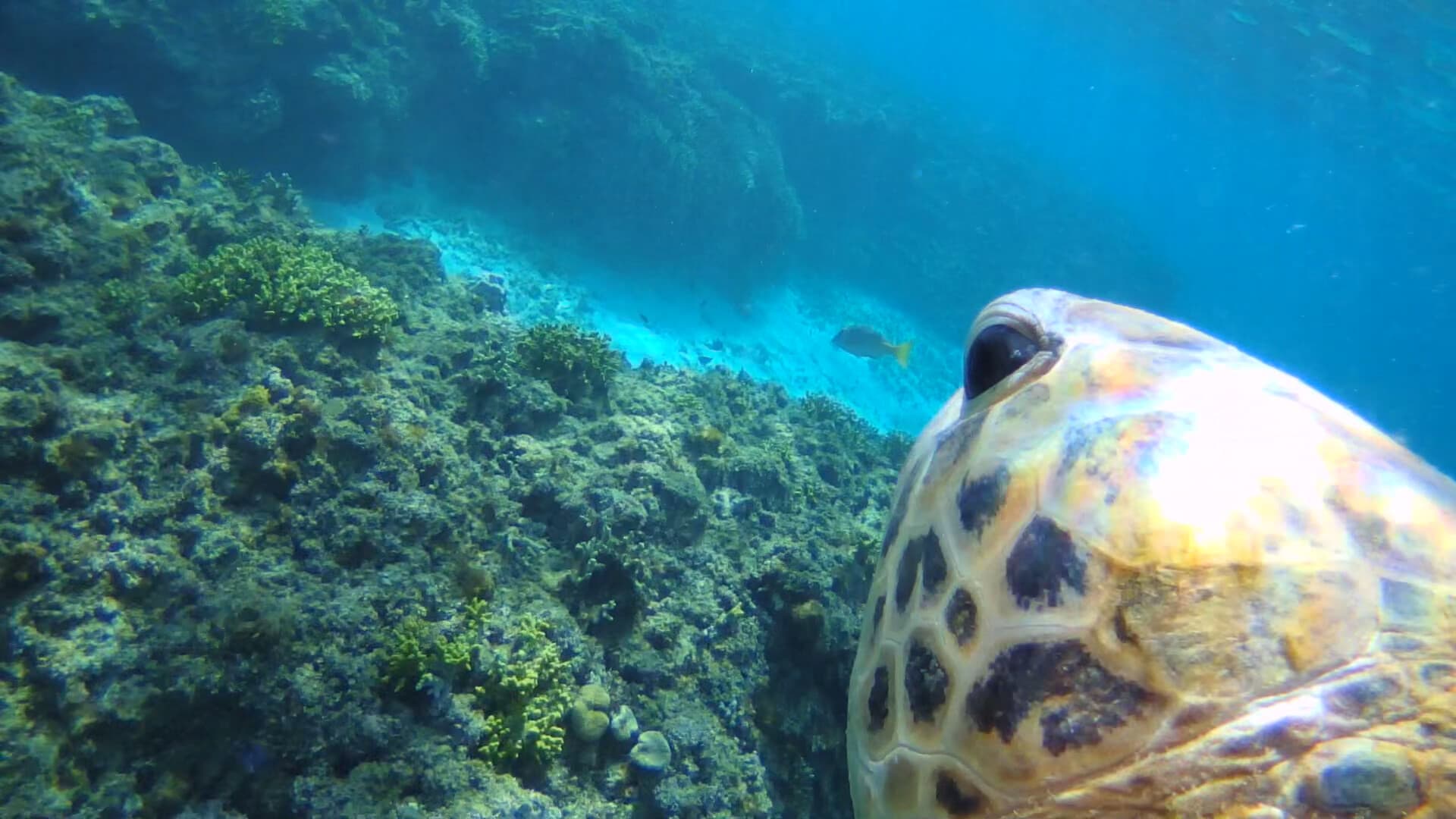
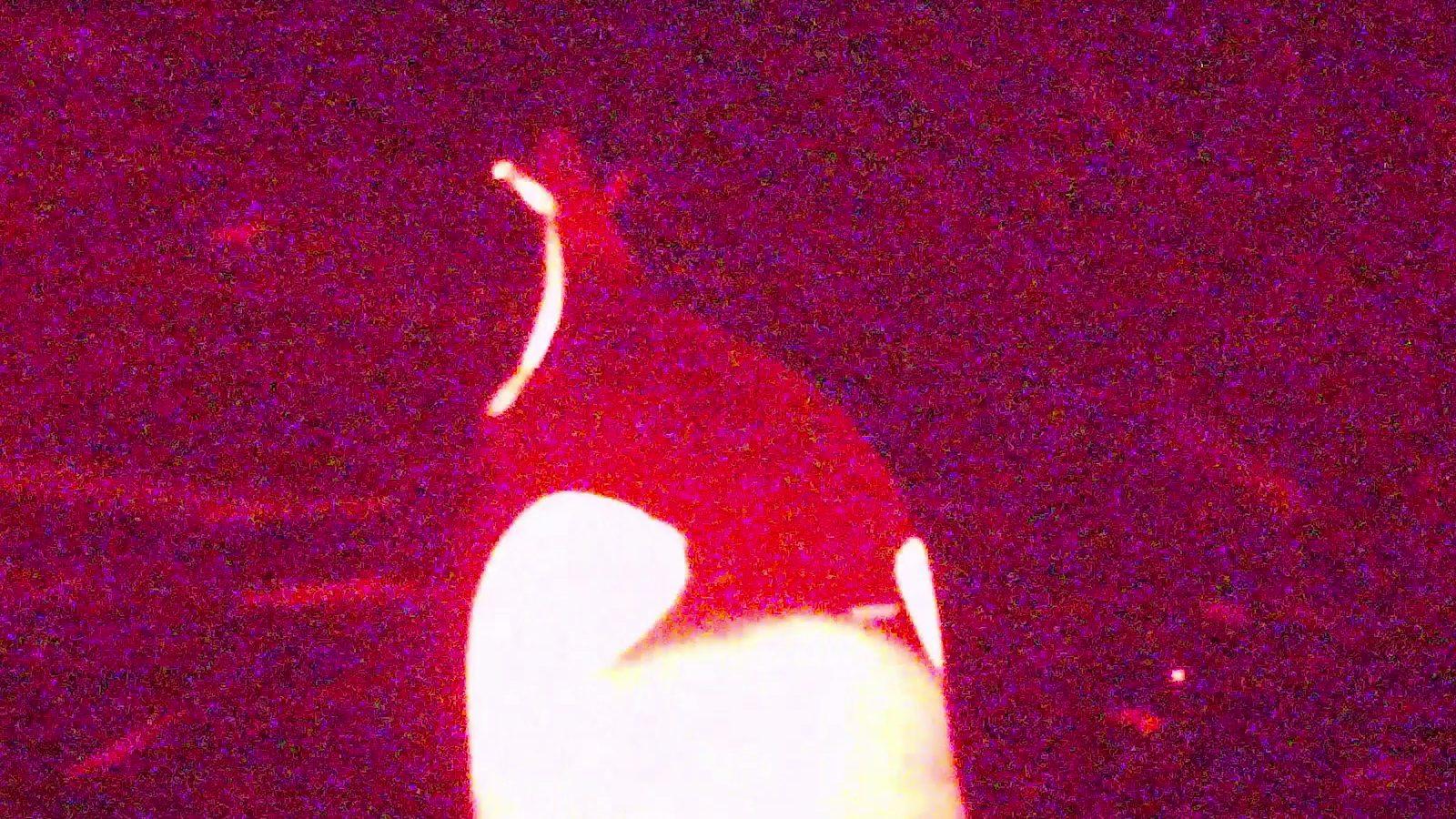
Frames from recorded footage
Each image is a single frame of footage recorded by a LoggLaw CAM.
Sample Videos
Watch sample footage captured with LoggLaw CAM
Introducing LoggLaw CAM: The Pioneering Biologging Camera for Underwater Wildlife Exploration!
Green sea turtle encounters with another Individual
Fish pulse-structured sound recorded with LoggLaw CAM
Measured continuous recording time
Recording time is bounded by the battery, not by memory. The card holds up to 1 TB, so storage never runs out first. Which moments those hours are spent on is the central setting.
| Resolution | Frame rate | CAM mini | CAM basic |
|---|---|---|---|
| VGA 640×480 | 30 fps | 4.1 hours | 6.7 hours |
| VGA 640×480 | 60 fps | 2.8 hours | 4.3 hours |
| HD 1280×720 | 30 / 60 fps | Not yet measured. Please ask us | |
| Full HD 1920×1080 | 30 fps | 2.4 to 2.8 hours | 4.4 hours |
Measured in June 2023 on units fitted with sensors, one measurement per condition. Figures vary with water temperature, settings and battery condition. The "up to 4 hours / up to 6 hours" in the specifications is the VGA 30 fps result, rounded down. Lighting the red LED shortens it: on CAM basic at Full HD 30 fps, 4.4 hours became 2.4 hours.
Three ways to allocate recording time
Triggered recording
Depth or acceleration thresholds start and stop recording automatically, so the camera runs only during dives, or only when movement rises above a threshold.
Schedule and duty cycle
Start and end times are set in the configuration software, and the camera can also run on a duty cycle that repeats on and off at a fixed interval. Useful when the hours of interest are known in advance.
Battery extension
An external battery extends recording time itself. Capacity is built to order. 64 hours of continuous recording has been confirmed at Full HD 30 fps.
Data recorded on the same time base as the video
Footage alone does not show how deep a moment occurred, or how much the animal was moving. The sensors and hydrophones record on the same time base as the video, so you can corroborate what it shows with numbers.
Hydrophone
96 kHz
Underwater sound recorded on the same clock as the video. Vocalizations, feeding sounds and ambient noise can be matched to the image.
Depth (pressure)
0.5 / 1 Hz
Video segments can be laid over the dive profile.
3-axis acceleration
4 / 8 / 16 / 32 / 64 Hz
Captures stroke cycles and brief movements the camera misses, and can also trigger recording.
3-axis geomagnetism
0.5 / 1 Hz
Combined with acceleration, it supports estimates of camera heading and body attitude.
Sensor specifications
| Item | Depth (pressure) | Temperature | Acceleration | Geomagnetism | Hydrophone |
|---|---|---|---|---|---|
| Range | 0 to 600 m | -5°C to 35°C | ±8 g | ±1200 µT | 100 Hz to 48 kHz |
| Accuracy | ±1% | ±0.2°C | — | — | — |
| Resolution / sensitivity | 1 cm or finer | 0.05°C or finer | 4 mg/LSB | — | — |
| Sampling | 0.5 / 1 Hz | 0.5 / 1 Hz | 4 / 8 / 16 / 32 / 64 Hz | 0.5 / 1 Hz | 96 kHz |
| Input | — | — | — | — | Mono / stereo |
Sensors and hydrophones are optional. The depth sensor measures to 600 m, while the housing is rated to 500 m maximum depth.
Video and sensors have separate power
After the video battery runs out, depth, temperature, acceleration and geomagnetism keep recording on their own battery. The footage covers part of the behavior, and the sensors cover what happens on either side of it.
Setup and data delivery
Both configuration and readout are done from a PC over the USB-C port under the waterproof cap. Video is recorded to the SD card and sensor values to the body, and both read out through the same port.
LoggLawSurfCam software
- Platform
- Windows, with Japanese and English interfaces
- Connection
- USB-C from a PC with the cap removed. Recording stops when the connection is detected
- What you set
- Recording start and stop schedule; duty cycle; depth and acceleration triggers; red LED threshold; per-sensor recording interval; mono or stereo input
- Readout
- Downloads the sensor record from the body and converts it to CSV, either one file per sensor or a single combined file
What you have after recovery
| Record | Format | Contents |
|---|---|---|
| Video | QuickTime (.MOV) / H.264 | Recorded to the internal SD card and read out over USB-C without removing the card. File names carry the start and end time, and recording is split at a set interval. |
| Underwater sound | Audio track inside the video file. Linear PCM 16 bit, 96 kHz | In a hydrophone configuration the sound sits in the same file as the video. There is no separate file to extract. |
| Sensor values | .blb (binary) from the body, converted to CSV | One CSV of every sample and one of the event list. The header carries model, firmware, start and stop, serial number, per-sensor intervals and calibration values; below it, three-axis acceleration (g) with its resultant, three-axis geomagnetism (µT), pressure (hPa) and internal temperature (°C) in time order. |
Pressure is written in hPa; converting it to depth is done in analysis. Video is bulky: Full HD at 30 fps runs about 6.5 to 7 GB per hour, and in 2023 testing 8 GB took roughly 18 minutes to read out (this varies with the PC).
File formats and columns were confirmed against recordings made in 2023 and 2024. Fields may differ with the firmware and LoggLawSurfCam version.
Dimensions and attachment design
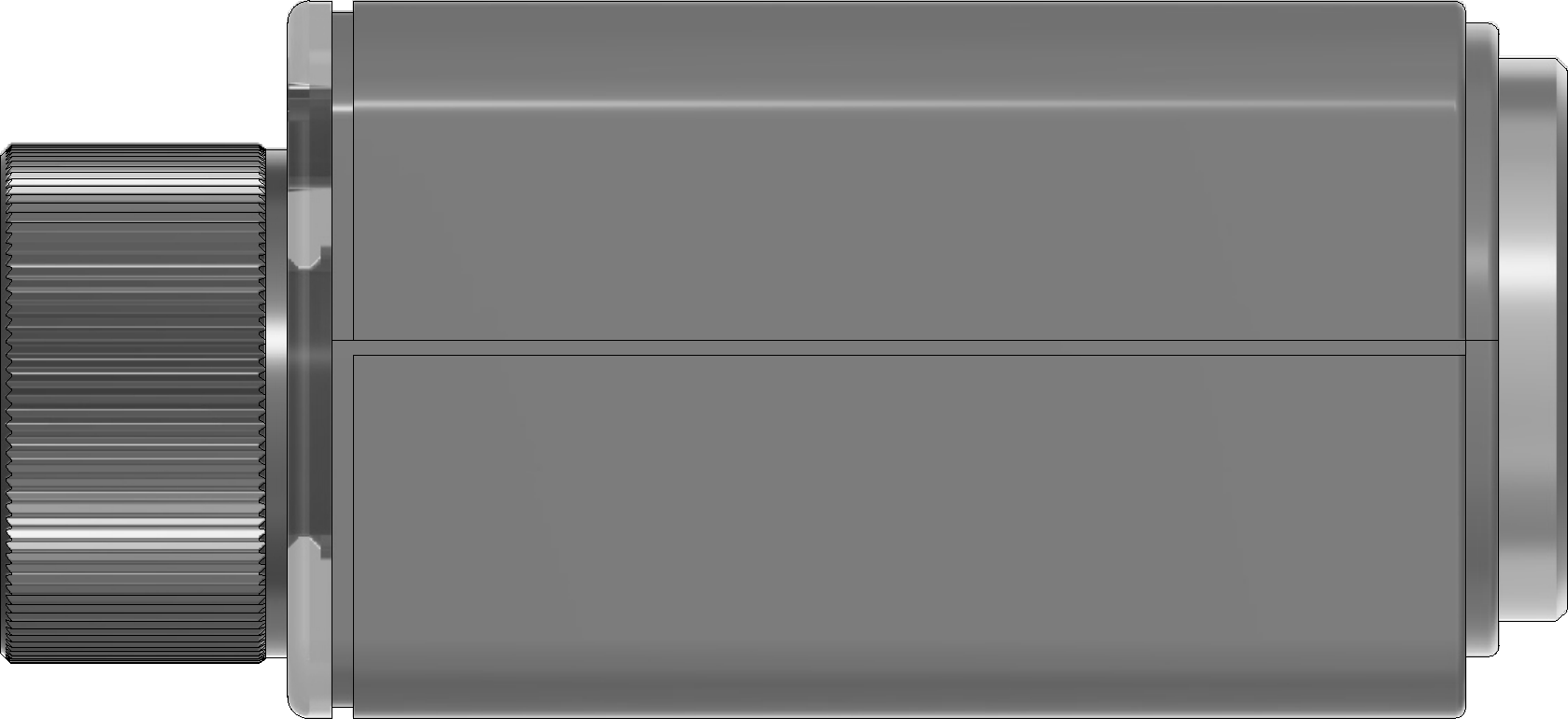
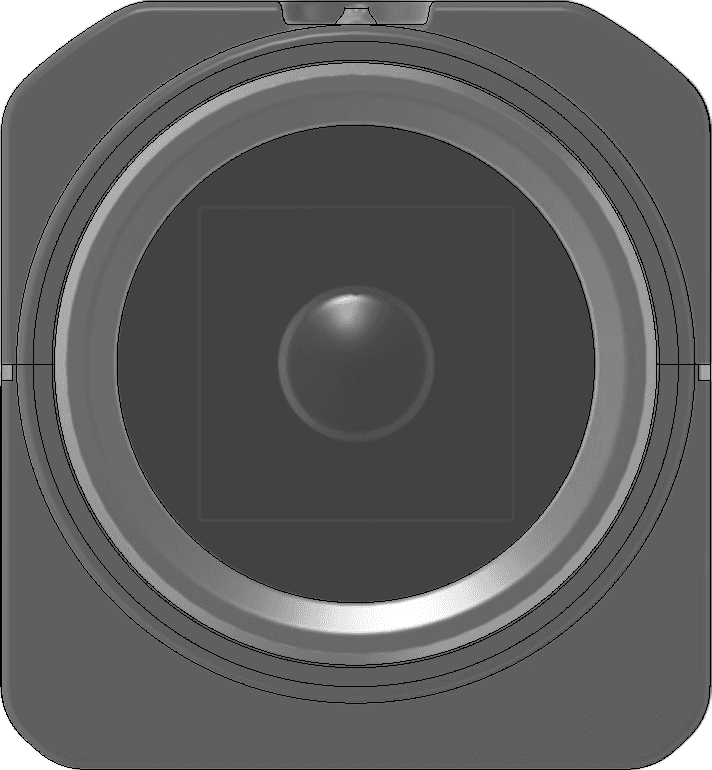
Whether the logger can be carried depends on how much of the attachment surface it occupies. Read the footprint off the front view, and the length off the side view.
CAM mini
CAM basic
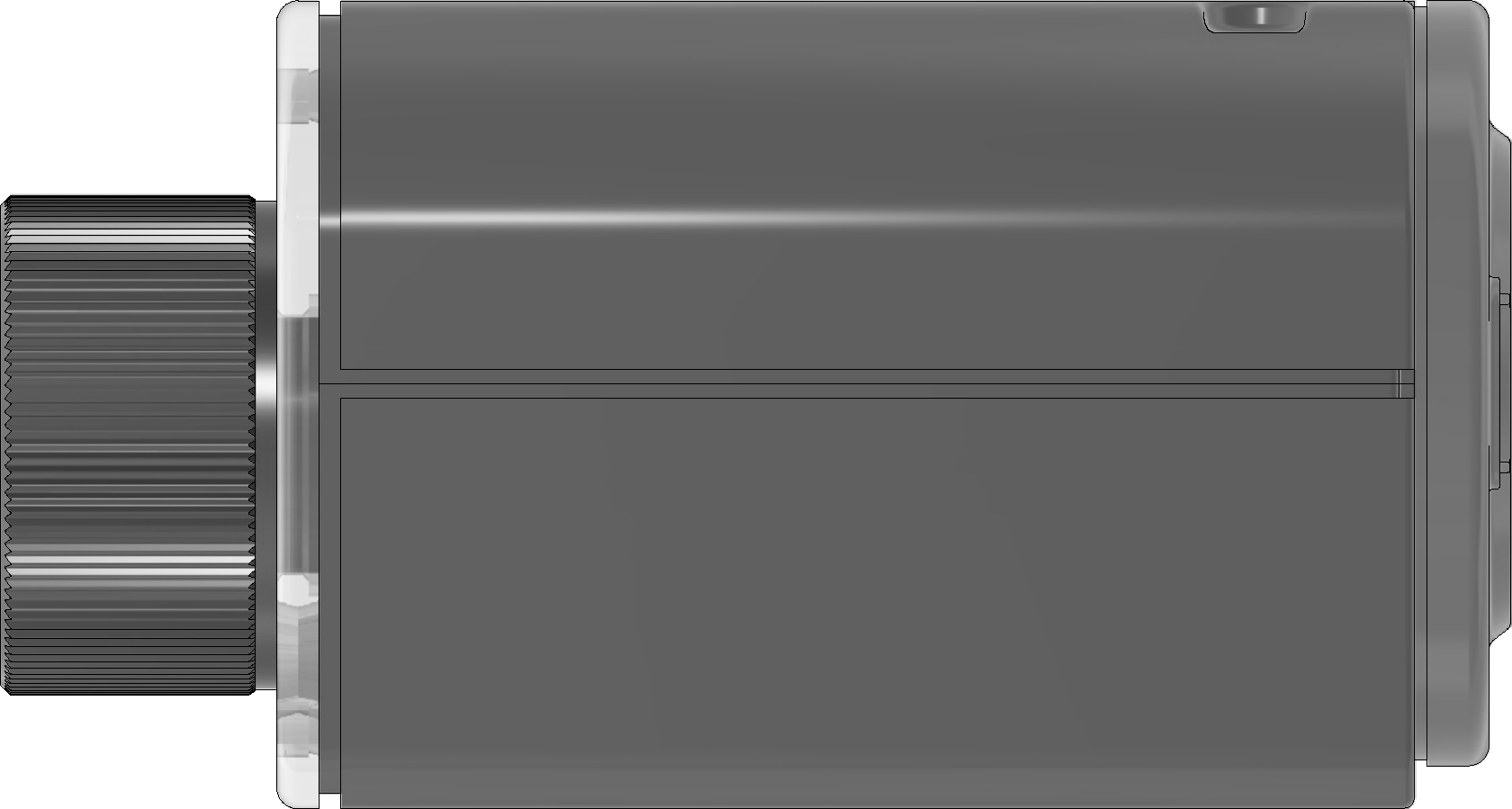
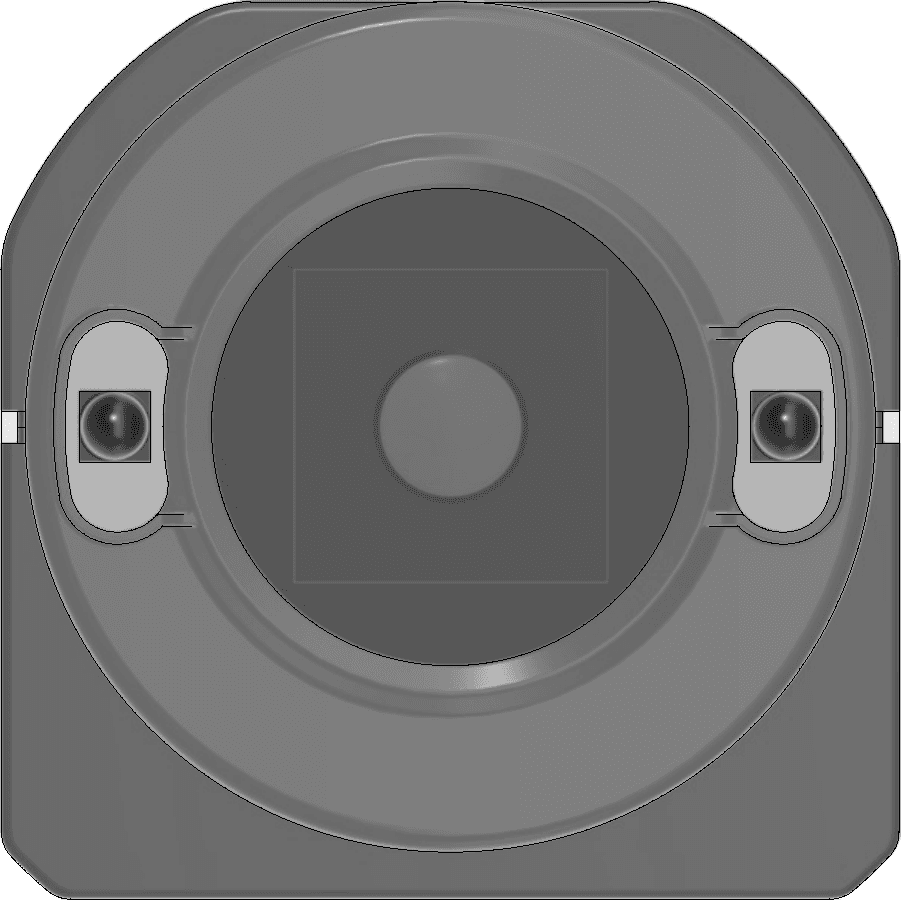
Each outline is the maximum envelope with the waterproof cap fitted, with mini and basic at the same scale. Mounts, hydrophones and other options are excluded.
The waterproof cap fits the end opposite the lens. At ø23.6 mm and 13 mm long it is narrower than either body, so fitting it adds length only: the cross-section stays 30 × 32 mm on mini and 38 × 38 mm on basic.
The outlines on screen are not actual size. Section 04 of the PDF catalog is true to life when printed on A4 at 100%, so you can hold it against the attachment surface.
Decisions in the attachment design
- Whether a mount can be built for the attachment surface
- Whether flotation is needed. If used, its amount and position change the attitude in water
- Recovery method, built around recapture of the animal
- Total weight once options are added, and the margin left on the attachment surface
Tell us the target species, the attachment surface and the behavior you want to study, and we can propose the body and options, the recording window and the mount together. Please also ask about trial units before purchase.
Discuss a configuration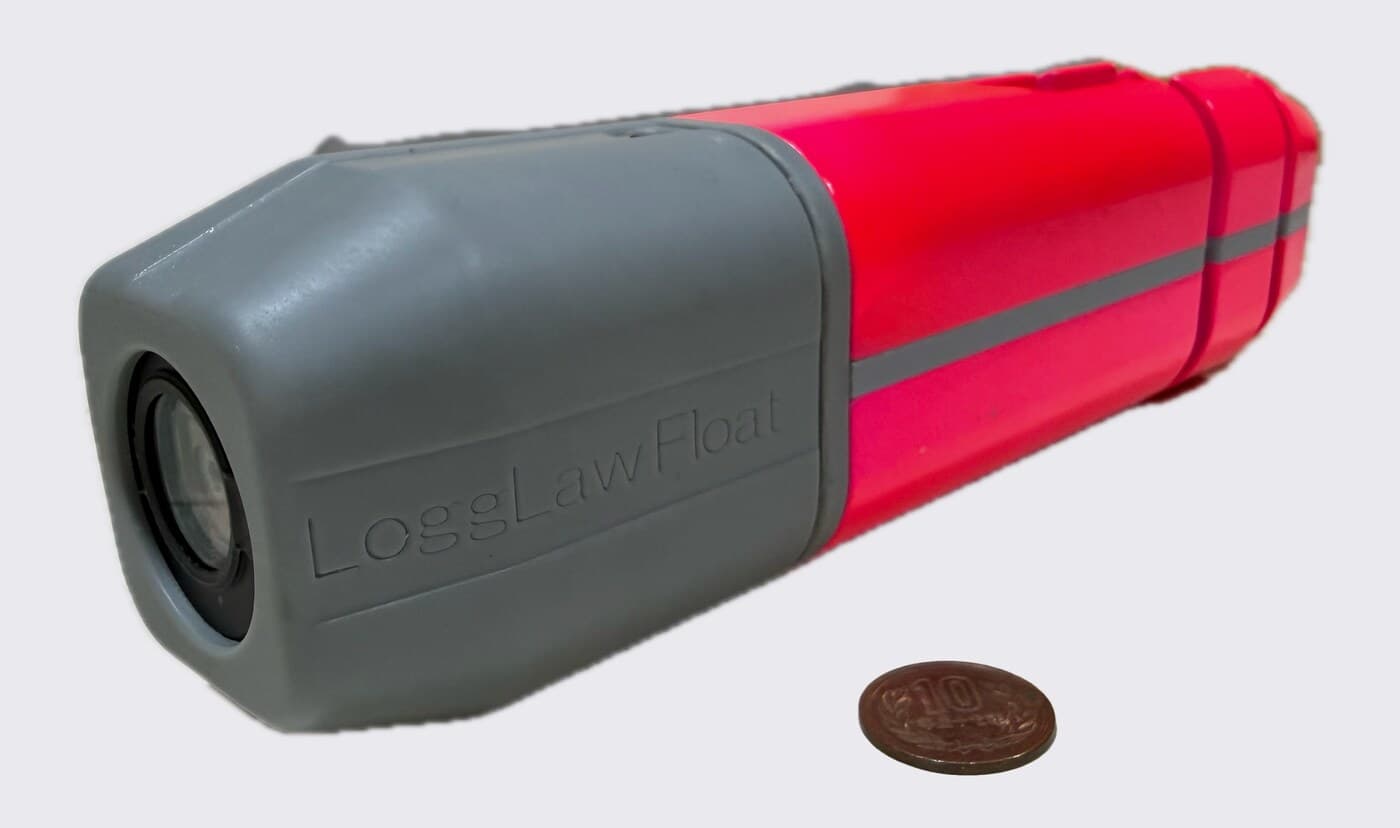
Specifications
Detailed Technical Specifications
Basic Specifications
| CAM mini | CAM basic | |
|---|---|---|
| Dimensions[*1] | 30 × 32 × 58 mm w/ waterproof cap: 30 × 32 × 71 mm | 38 × 38 × 58 mm w/ waterproof cap: 38 × 38 × 71 mm |
| Weight in Air[*3] | 98g | 129g |
| Memory | SD Card (up to 1TB) | |
| Resolution | VGA (640×480) / HD (1280×720) / Full HD (1920×1080) | |
| Frame Rate | VGA: 30/60/120fps HD: 30/60fps Full HD: 30fps | |
| Field of View | 89° (underwater) / 129° (in air) | |
| Red LED | No LED | High-intensity red LED (660 nm) |
| Water/Pressure Rating | Max depth 500m | |
| Operating Temperature | -10°C ~ 40°C | |
| Sensor Options | Hydrophone / Depth (Pressure) / Temperature / 3-axis Accel / 3-axis Geomag | |
| Hydrophone | Optional (external) Frequency range 100 Hz to 48 kHz Adds about 87 g each Stereo with two hydrophones Adjustable cable length | |
| Interval Settings | Hydrophone: 96kHz Temp/Depth/Geomag: 0.5/1Hz Accel: 4/8/16/32/64Hz | |
| Battery Life (Continuous)[*2] | Up to 4 hours | Up to 6 hours |
| Rechargeable | ||
| Battery Extension | Optional (64 hours measured at Full HD 30 fps) | |
| Recording Start/Stop | Schedule / duty cycle / depth and acceleration triggers | |
| Sensor Power | Battery separate from the video | |
| Setup & Data Readout | LoggLawSurfCam software (Windows) via USB-C port under the waterproof cap | |
| Time Accuracy | ±108 s/yr | |
*1: Top row shows body-only dimensions, excluding waterproof cap
*2: Estimated for continuous recording at VGA 30fps. Actual duration varies by usage conditions.
*3: Includes the waterproof cap. Excludes hydrophones and the battery extension.
* Specifications are subject to change without notice for improvement purposes.
Frequently asked questions
What is LoggLaw CAM?
Are video and underwater sound recorded in sync?
What else can it record besides video?
How long can it record?
How deep can it go?
Can it record in the dark or at night?
How big and heavy is it?
How are settings made and data read out?
What happens to the data if the logger is not recovered?
Can it record only the moments I want to see?
Do the sensors keep recording after the video stops?
How long can it record at Full HD?
What file formats does it produce?
Can we try it before purchase?
Inquire About LoggLaw CAM
For detailed product information, pricing, case studies, and more, feel free to contact us. Our expert staff will propose the best solution for your needs.